Rescreen / Screen recorder for Windows
Screen recorder for Windows
Record your screen, camera and microphone in Chrome or Edge on Windows 10 or 11. Nothing to install, no watermark, no card.
Record your screen on Windows in three steps
Everything happens in one Chrome or Edge tab.
Pick what to record
Press Start recording, choose your camera and microphone, then pick a tab, a window or your entire screen when the browser asks.
Stop, and it's edited
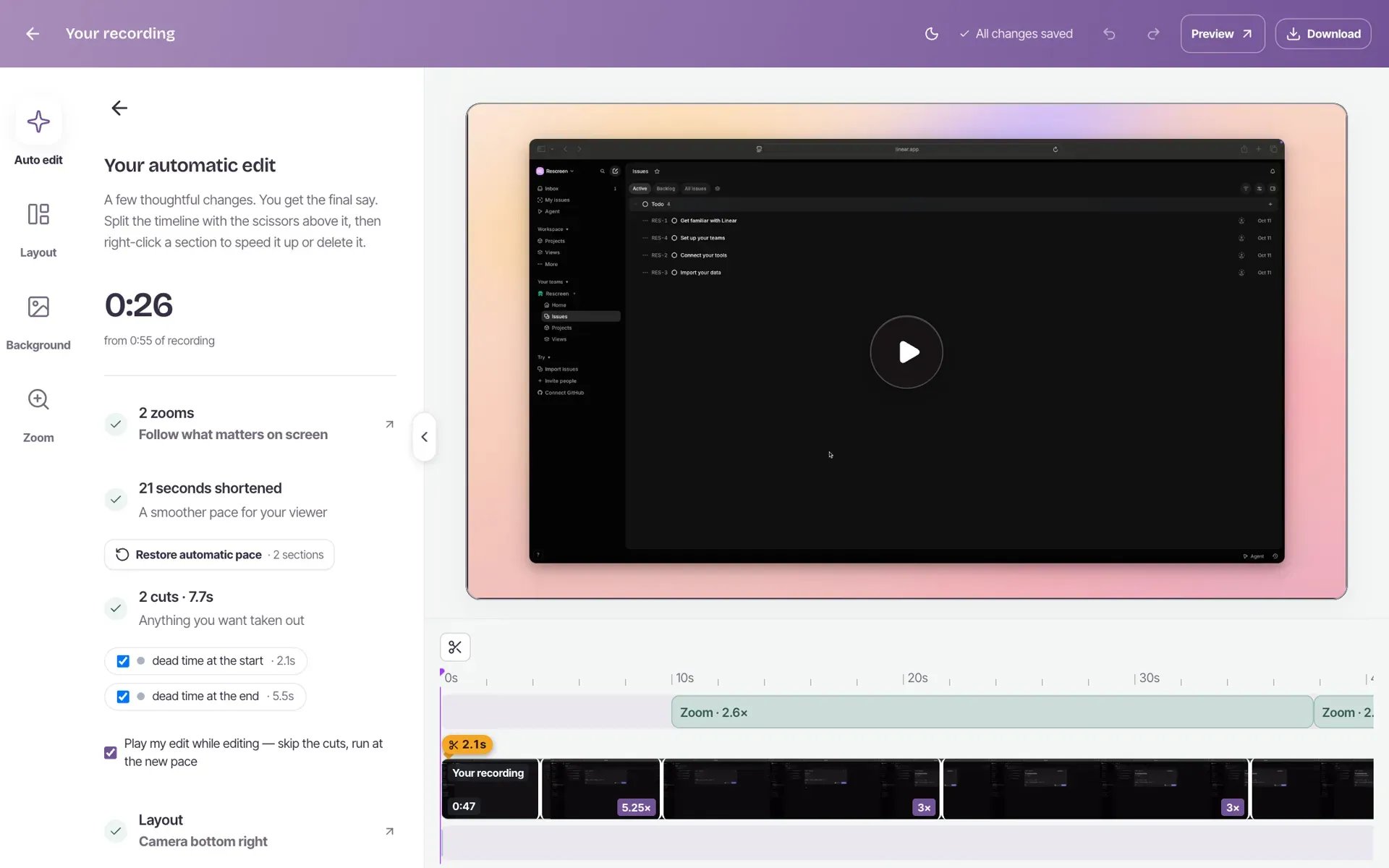
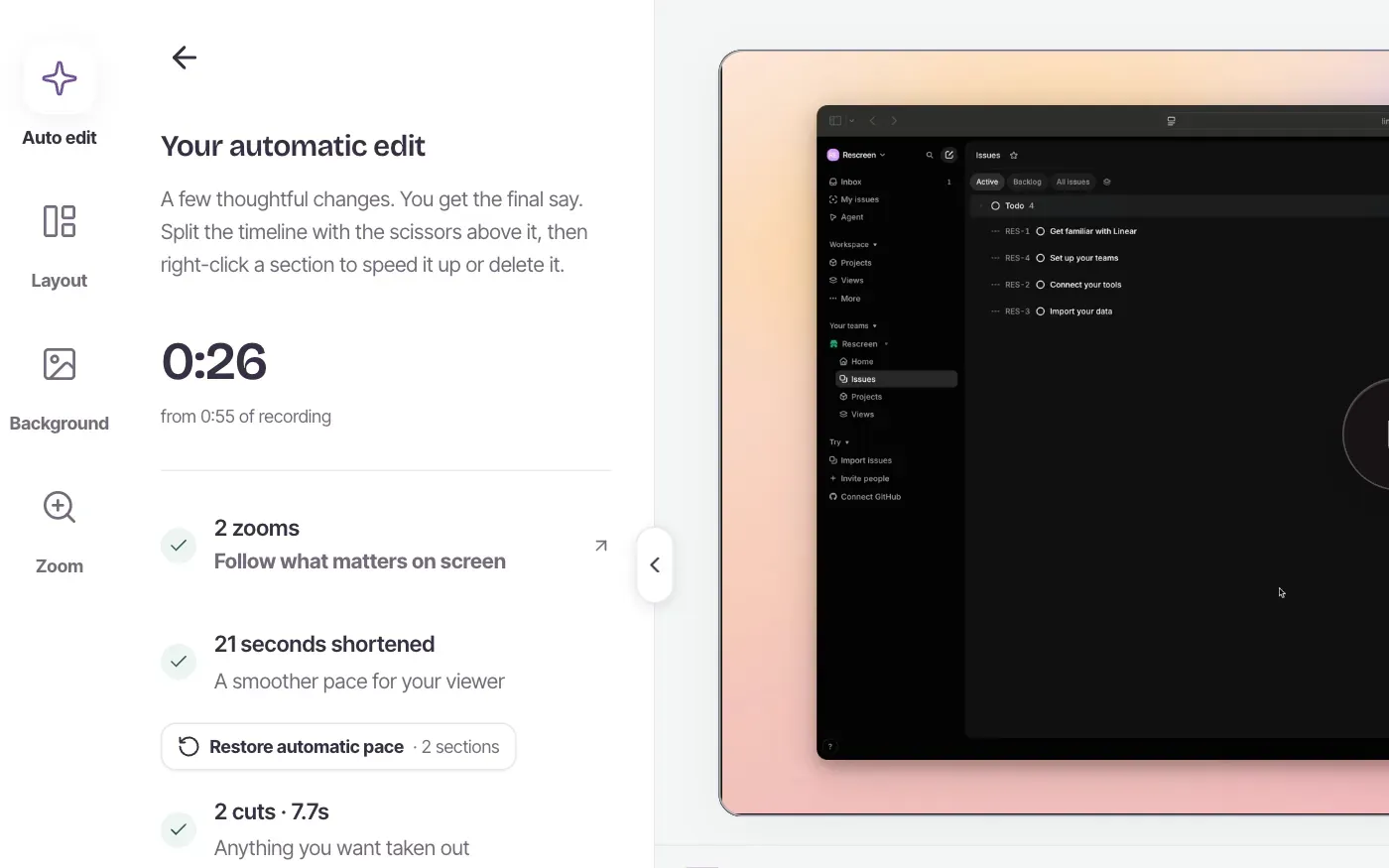
When you stop, Rescreen trims the dead time, cuts filler words, adds zooms and a background, and cleans up your voice. Change anything you like in the editor.
Share the link
Turn sharing on and copy the link. Anyone can watch and comment in their browser, with no account.
Compared with Snipping Tool and Game Bar
Windows comes with two recorders. Snipping Tool is on Windows 11 only and has no camera option. Game Bar records one app at a time, never the desktop or File Explorer. Both leave you with a file to trim and send yourself.
Rescreen records your entire screen with your camera on Windows 10 or 11, edits the video when you stop, and gives you a link to send. To use the built-in tools instead, see how to screen record on Windows, or the guides for Windows 11 and Windows 10.
Record your PC's sound and your voice
Your microphone is recorded with the screen. What else you get depends on what you share:
- Entire screen: turn on system audio to record everything the PC plays
- Tab: keep tab audio on to record the sound from that tab
- Window: no sound from the window, only your microphone
Check your microphone and webcam first if your PC has more than one of either. The guide to recording Windows 11 with sound covers the rest.
The editing is done when you stop
- Dead time at the start and end trimmed
- Filler words and retakes it detects cut out
- Long still stretches sped up
- Zooms that follow your clicks (how auto zoom works)
- Background noise reduced and your voice levelled
Every cut and zoom is listed in the editor, and each one can be undone or changed.
What the free plan includes
- Recordings up to five hours each
- 2 GB of storage for recordings
- Automatic cuts, zooms and audio cleanup
- Full editor
- Share with anyone by link
- Post to YouTube, with a Rescreen attribution in the description
- No watermark on your video
The one limit: downloading the video file needs Pro, at $20 a month, or $10 a month billed yearly. On the free plan you share a link instead, and anyone can watch it in a browser without an account. See pricing for the full comparison.
Frequently asked questions
Does it work on Windows 10 and Windows 11?
Yes, on both. Rescreen runs in Chrome or Edge, so it works the same on either version. Firefox cannot share sound or a single tab, so use Chrome or Edge instead.
Do I need to install anything?
No app and no extension. Your browser asks which tab, window or screen to share, and the recording starts in that same tab.
Can it record the sound from my PC?
Yes. Share your entire screen and turn on system audio in the sharing box to record everything the PC plays, or share a tab to record that tab’s sound. A shared window has no sound of its own, so you only get your microphone.
Is it really free?
Yes. Recording, the automatic edit, the editor and sharing by link are free, with no card and no trial that runs out. Downloading the video file is the one thing that needs Pro, at $20 a month, or $10 a month billed yearly.
Does it add a watermark?
No. Nothing is drawn on your video. The page your viewers watch it on has a small Rescreen bar above the player, and that is all.
Do I need an account to record?
No. You can record for up to 15 minutes without one. Sign up afterwards to watch, edit and share the recording. It is deleted after 3 days if you do not.
Is there a time limit?
Each recording can run for up to five hours. There is no monthly cap on minutes: the free plan has 2 GB of storage, and deleting a video frees its space.
Can I download the video?
Downloads need Pro, at $20 a month, or $10 a month billed yearly. On the free plan you share a link instead; anyone can watch it in a browser without an account.
Record your Windows screen for free.
No card needed. Works in Chrome and Edge.