Rescreen / Video resume
Record a video resume
Show yourself and your work in one short video, without stumbles, and send it as a link.
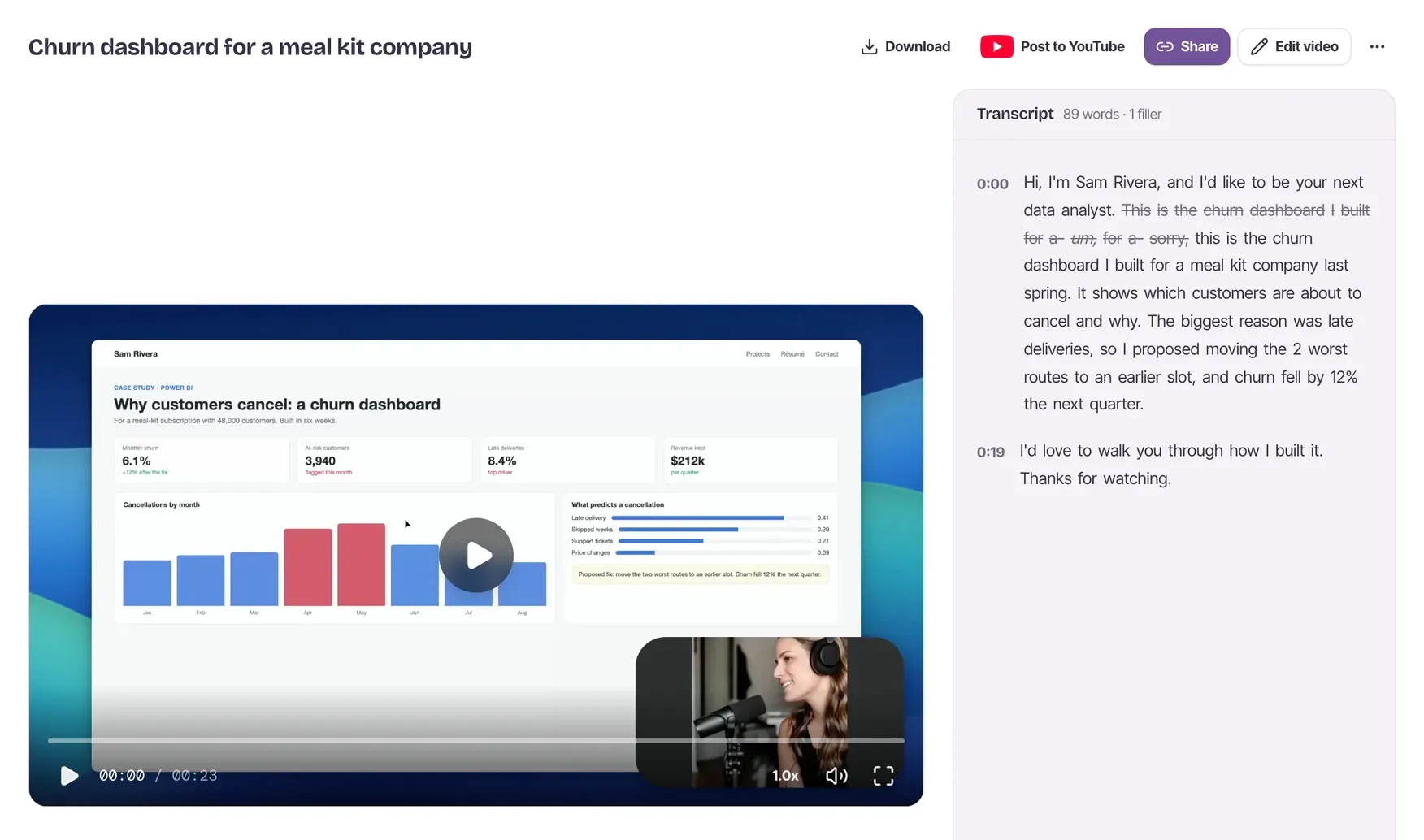
How to make a video resume
Record your screen and camera
Press Start recording, turn on your camera and microphone, and pick the tab, window or screen with your work on it.
Say it again when you stumble
Pause and start the sentence over. When you stop, Rescreen cuts the first try, the filler words and the silence at each end.
Send the link
Turn sharing on and copy the link into your application or email. They watch it in their browser, with no account.
Say it again until it's right
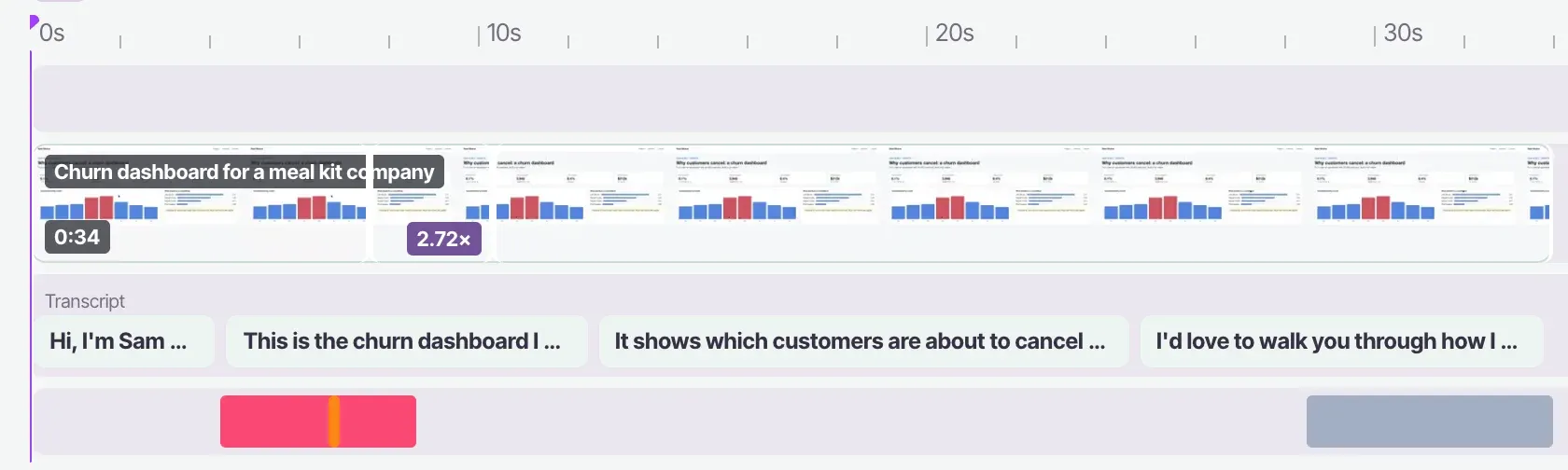
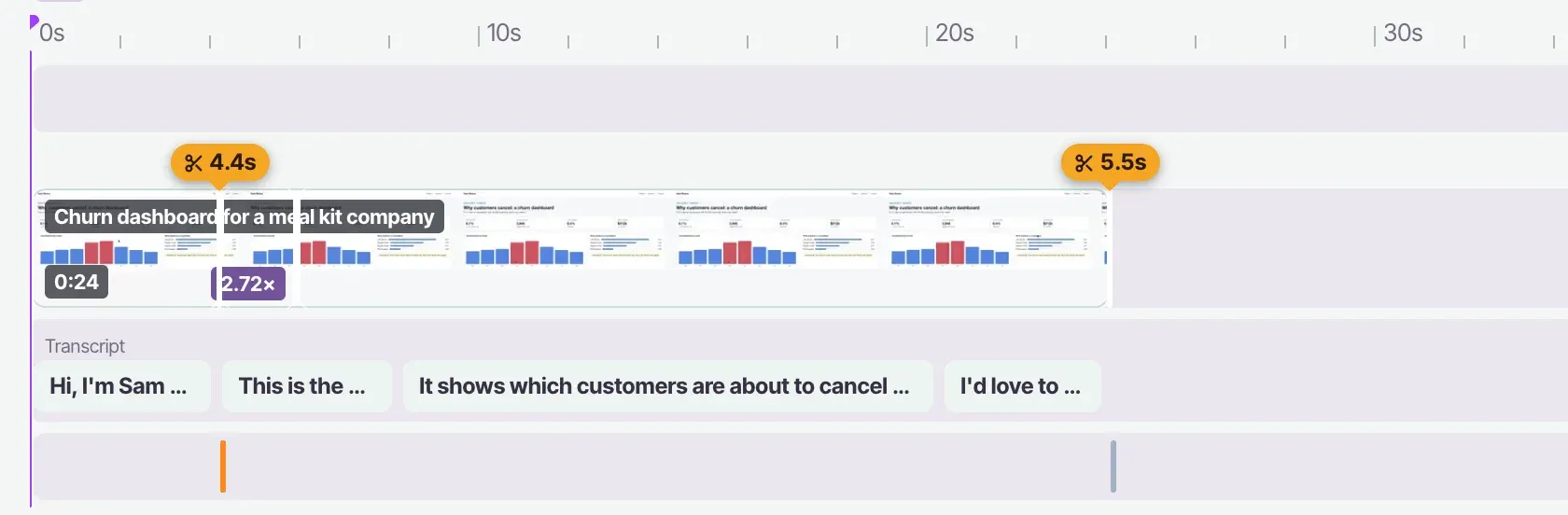
Lost your place halfway through a sentence? Pause, and say it again from the start. When you stop, Rescreen finds the line you started over and cuts the first try, with the "um"s and the silence before you began.
Every cut is listed in the editor. Untick one and it is back in the video, so nothing you meant to say is lost.
Three kinds of video application
Video cover letter or introduction
60 to 90 seconds on camera: who you are, why this role, and one thing you did that shows it.
Take-home assignment walkthrough
Share your screen and walk the hiring manager through your work and the reasons behind it. More employers now ask for this, because it shows your own thinking.
One-way video interview practice
Record your answers, watch them back, and record again until they sound like you.
What to say in each video
Video cover letter
- Opening line: your name and the role you are applying for.
- The point: one result you are proud of, with a number if you have one.
- The ask: say you would like to talk, and thank them for watching.
Take-home walkthrough
- Opening line: the brief in one sentence.
- The point: what you found, what you chose and why, shown on screen.
- The ask: what you would do next with more time.
Interview answer
- Opening line: answer the question in one sentence.
- The point: one example: the situation, what you did, how it turned out.
- The ask: tie it back to the role.
Send it as a link, and know when it's watched
Turn sharing on and paste the link into your application or email. It plays in any browser, with no account and no watermark on your video.
On Pro, viewer analytics show how many people watched, how much of it they saw and where most of them stopped, with names for viewers signed in to Rescreen. Pro is $20 a month, or $10 a month billed yearly; see pricing.
Frequently asked questions
How long should a video resume be?
Keep an introduction or video cover letter to 60 to 90 seconds. A walkthrough of a take-home task can run longer, but aim for under five minutes unless the brief asks for more.
Is it free? Do I need an account?
Recording, the automatic edit, the editor and sharing by link are free, with no card. You can record for up to 15 minutes without an account, then sign up to watch and send it. A recording nobody signs up for is deleted after 3 days.
Can I upload it to a job portal?
Many application forms and portals take a link, and sharing by link is free. If a portal needs the video file itself, downloading the MP4 needs Pro, at $20 a month, or $10 a month billed yearly.
Can I record on my phone?
Recording needs a desktop browser, because phones cannot share their screen with a web page. If you filmed yourself on your phone, you can upload that video to Rescreen and send it as a link instead.
What is a one-way video interview?
An interview with nobody on the other side: the employer sends questions, and you record an answer to each, often with a time limit. It is also called an asynchronous video interview. You can practise by recording your answers here and watching them back.
Does it add a watermark?
No. Nothing is drawn on your video. The page your viewer watches it on has a small Rescreen bar above the player, and that is all.
Related tools
Record your video resume.
Make an account and start your first recording in your browser.
No credit card required