Rescreen / Free screen recorder
Free online screen recorder
Record your screen, camera and microphone in your browser. Rescreen edits the recording for you when you stop, and you share it with a link. Nothing to install, no watermark, no card.
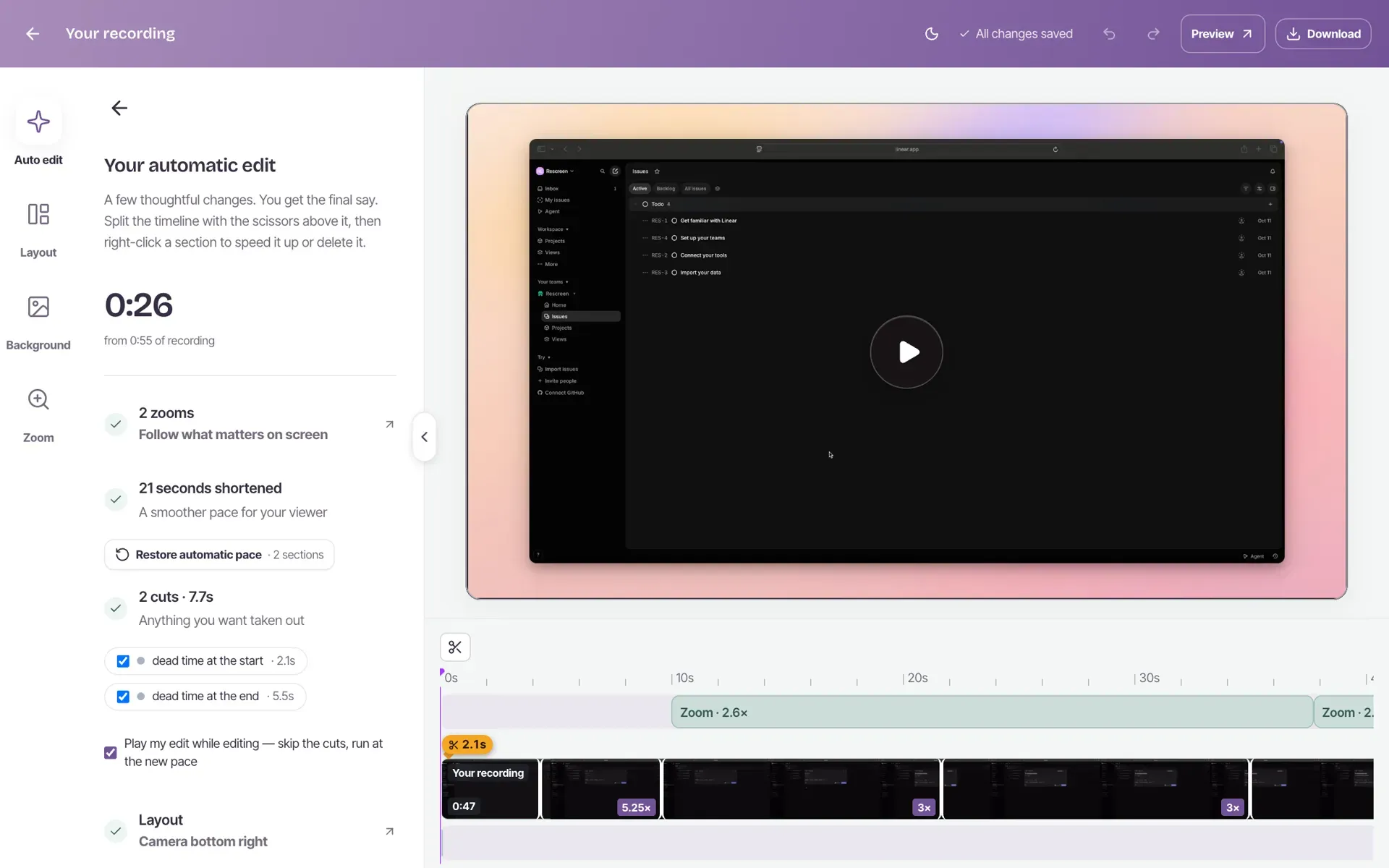
What the free plan includes
- Unlimited recordings, up to five hours each
- Automatic cuts, zooms and audio cleanup
- Full editor
- Share with anyone by link
- No watermark on your video
The one limit: downloading the video file needs Pro, at $20 a month, or $10 a month billed yearly. On the free plan you share a link instead, and anyone can watch it in a browser without an account. See pricing for the full comparison.
Record your screen in three steps
Everything happens in one browser tab, with nothing to install.
Pick what to record
Press Start recording, choose your camera and microphone, then pick a tab, a window or your whole screen when the browser asks.
Stop, and it's edited
When you stop, Rescreen trims the dead time, cuts filler words, adds zooms and a background, and cleans up your voice. Change anything you like in the editor.
Share the link
Turn sharing on and copy the link. Anyone can watch and comment in their browser, with no account.
An AI screen recorder that does the editing
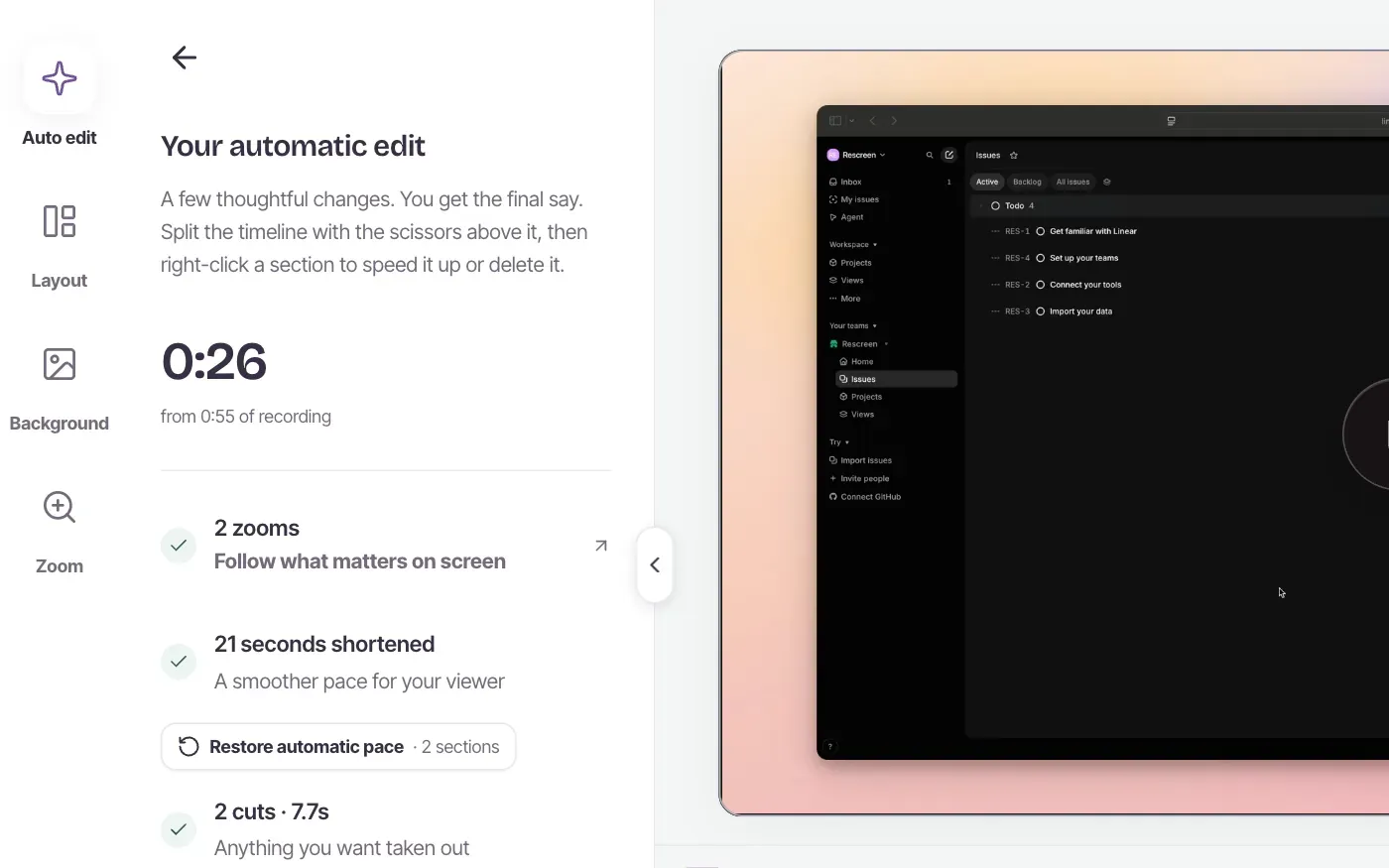
Most free screen recorders hand you the raw file and leave the editing to you. Rescreen edits while it records: by the time you stop, the mistakes are out and the important parts are zoomed in.
- Dead time at the start and end trimmed
- Filler words and retakes it detects cut out
- Long still stretches sped up
- Zooms that follow your clicks
- Background noise reduced and your voice levelled
Nothing is final. Every cut and zoom is listed in the editor, and each one can be undone or changed.
A screen recorder with no watermark
Free recorders often stamp their logo across your video until you pay. Rescreen does not draw anything on it, on the free plan or on Pro. Your viewers see your screen, your camera and nothing else.
Free also means no trial that runs out and no cap on how many videos you make. Each recording can run for up to five hours.
Works on Mac, Windows and Chromebook
Rescreen is an online screen recorder: it runs in a desktop browser, so there is nothing to install and the system does not matter. Use Chrome or Edge on Windows, Chrome or Safari on a Mac, or Chrome on a Chromebook.
Before a big recording, check your microphone and webcam with the free tools. For recording on a specific system, see the guides to recording on Windows 11 with sound and recording a Mac with computer audio.
Frequently asked questions
Is Rescreen really free?
Yes. Recording, the automatic edit, the editor and sharing by link are free, with no card and no trial that runs out. Downloading the video file is the one thing that needs Pro, at $20 a month, or $10 a month billed yearly.
Does the free screen recorder add a watermark?
No. Nothing is drawn on your video. The page your viewers watch it on has a small Rescreen bar above the player, and that is all.
Is there a time limit?
Each recording can run for up to five hours, and you can make as many recordings as you like. There is no monthly cap.
Does it work on Mac, Windows and Chromebook?
Yes. It runs in a desktop browser, so the system does not matter: Chrome or Edge on Windows, Chrome or Safari on a Mac, and Chrome on a Chromebook. Phones and tablets cannot share their screen with a web page, so they cannot record.
Do I need to install anything?
No app and no extension. Your browser asks which tab, window or screen to share, and the recording starts in that same tab.
Can it record my voice and the sound from a tab?
Your microphone and camera are recorded with the screen. Sound from a tab comes along when your browser offers to share it, which Chrome and Edge do when you pick a tab.
What does the AI edit do?
When you stop, Rescreen cuts the dead time at the start and end, removes filler words and retakes it detects, speeds up long stretches where nothing moves, zooms in where you click, and cleans up your microphone. Every change can be undone in the editor.
Can I download the video?
Downloads need Pro, at $20 a month, or $10 a month billed yearly. On the free plan you share a link instead; anyone can watch it in a browser without an account.
Start recording for free.
No card needed. Works in your browser.